
Mjukvara
Sandboxie Plus 1.4.1 / Classic 5.59.1
Run programs in a sandbox to prevent malware from making permanent changes to your PC.
Sandboxie allows you to run your browser, or any other program, so that all changes that result from the usage are kept in a sandbox environment, which can then be deleted later.
Sandboxie is a sandbox-based isolation software for 32- and 64-bit Windows NT-based operating systems. It is being developed by David Xanatos since it became open source, before that it was developed by Sophos (which acquired it from Invincea, which acquired it earlier from the original author Ronen Tzur). It creates a sandbox-like isolated operating environment in which applications can be run or installed without permanently modifying the local or mapped drive. An isolated virtual environment allows controlled testing of untrusted programs and web surfing.
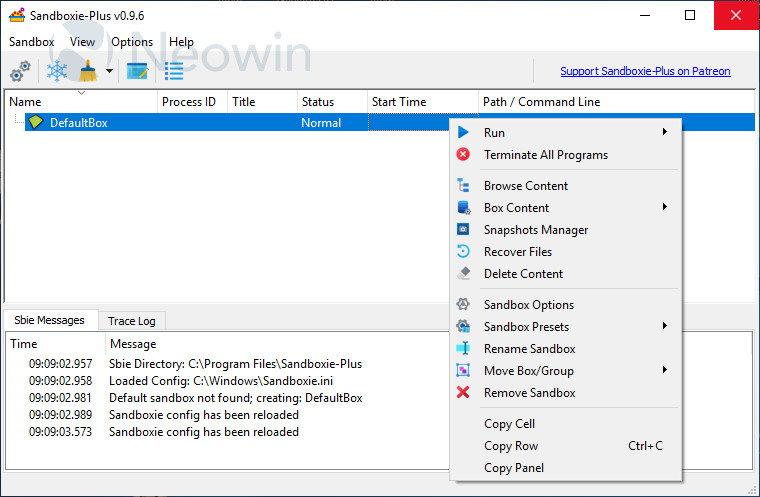
Sandboxie is available in two flavors Plus and Classic. Both have the same core components, this means they have the same level of security and compatibility. What's different is the user interface the Plus build has a modern Qt based UI which supports all new features that have been added since the project went open source. The Classic build has the old no longer developed MFC based UI, hence it lacks support for modern features, these features can however still be used when manually configured in the Sandboxie.ini.
Sandboxie Plus 1.4.1 / Classic 5.59.1 changelog:
Added
- added dark title bar support for Windows 11
Changed
- In sbie 5.28 and later WinInetCache is open, this breks IE's source view, hence it can now be disabled with 'CloseWinInetCache=y'
Fixed
- fixed WarnProcess and WarnFolder not working with certain configurations
[1.4.0 / 5.59.0] - 2022-09-30
Added
- added integrated run from start menu #1836
- added start menu enumeration #1570
- added UI for breakout processes #1904
- added option to customize double-click action per sandbox
- added new advanced tab in the advanced tab allowing to configure specific processes and other advanced options
- added "SeparateUserFolders=y" and "SandboxieLogon=y" to the sandbox options dialog
- added icons to option section labels
Changed
- prepared for Qt 6.3.1
- restructured the general settings page
- restructured the sandbox options page, added a new tab and moved some of the advanced options there
Fixed
- fixed menu bar issue in Plus UI #2280 (thanks okrc)
Download: Sandboxie Plus (64-bit) | Sandboxie Plus (32-bit) ~16.0 MB (Open Source)
Download: Sandboxie Classic (64-bit) | Sandboxie Classic (32-bit) ~3.0 MB
View: Sandboxie Website | Sandboxie Plus Home Page | GitHub | Release Notes
 Get alerted to all of our Software updates on Twitter at @NeowinSoftware