
Mjukvara
ImgDrive 1.9.5
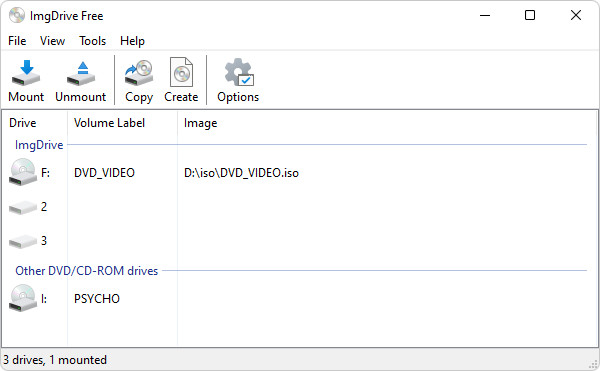
ImgDrive is a CD/DVD/BD emulator - a tool that allows you to mount optical disc images by simply clicking on them in Windows Explorer. If you have downloaded an ISO image and want to use it without burning it to a blank disc, ImgDrive is the easiest way to do it.
ImgDrive features:
- One-click mounting of iso, cue, nrg, mds/mdf, ccd, isz images
- Runs on 32-bit and 64-bit Windows versions
- Mount ape, flac, m4a, wav, wavpack, tta file as AUDIO CD (16-bit/44.1kHz)
- Mount a folder as DVD/BD
- Mount images in command line
- Does not require rebooting after installation
- Support up to 7 virtual drives at the same time
- Support multi session disc image (ccd/mds/nrg)
- A special portable version is available
- Translated to more than 10 languages
- ImgDrive is freeware, you may use it at no cost
Support File Type:
- .ccd - CloneCD image files
- .cue - Cue sheets files of ape/flac/m4a/tta/wav/wv/bin
- .iso - Standard ISO image files
- .isz - Compressed ISO image files
- .nrg - Nero image files
- .mds - Media descriptor image files
ImgDrive 1.9.4 changelog:
- Fixed installation failure on Windows ARM64
- Fixed audio tracks don't play properly for Mixed-Mode MDF/MDS images
- Added cascaded &menu for recent files
- Added number of recent files
- Added command line help
- Added hotkey mount configuration
- Some minor changes and improvements
Changes in ImgDrive 1.9.5:
- Improved identify which process is locking the image file
- Fixed unable to install driver in some cases
- Some minor changes and improvements
Download: ImgDrive 1.9.5 | 948 KB (Freeware, paid upgrade available)
Download: ImgDrive Portable 453 KB
View: ImgDrive Home Page
 Get alerted to all of our Software updates on Twitter at @NeowinSoftware