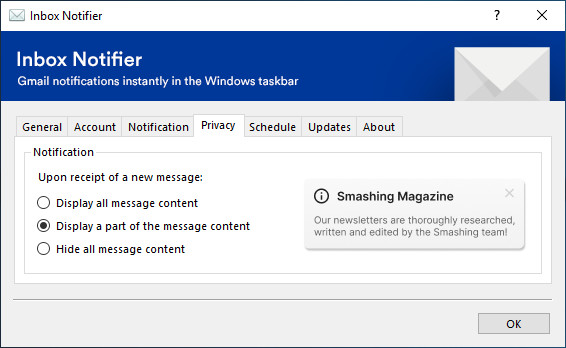
Inbox Notifier allows you to display Gmail notifications instantly in the Windows taskbar, without the need to have a Google Chrome instance open and running. The application is provided with a bunch of useful features that bring your inbox always up to date and keep you focus on your work.
Inbox Notifier key features:
- Synchronization – automatic sync that keep you up to date every time
- Email notifications – display concise notifications when needed
- SPAM checking – enforce user to clean SPAMs regularly
- Do not disturb mode – keep focus at work
- Privacy setting – choose the privacy level for notifications
- Custom ringtone – select a custom file to use as notification ringtone
- Credential managment – login and logout with ease
- Multilingual support – french/english/german/russian
- Inbox statistics preview – display drafts/labels/unreads/totals messages from the inbox
- Attachment information – notice when a message have one or more attachments
- Proxy support – use Windows proxy settings when available
- Network reconnection – try to reconnect to the network when the internet connection is lost
- User privacy – use Cloudflare DNS and fallback to Google if needed
- Scheduled synchronization – disable the synchronization to have a peaceful weekend
- Update service – keep the application up to date
Changelog
- Update dependencies
Download: Inbox Notifier 3.10 | 2.2 MB (Open Source)
View: Inbox Notifier Website
 Get alerted to all of our Software updates on Twitter at @NeowinSoftware