
Mjukvara
PasteBar 0.7.0

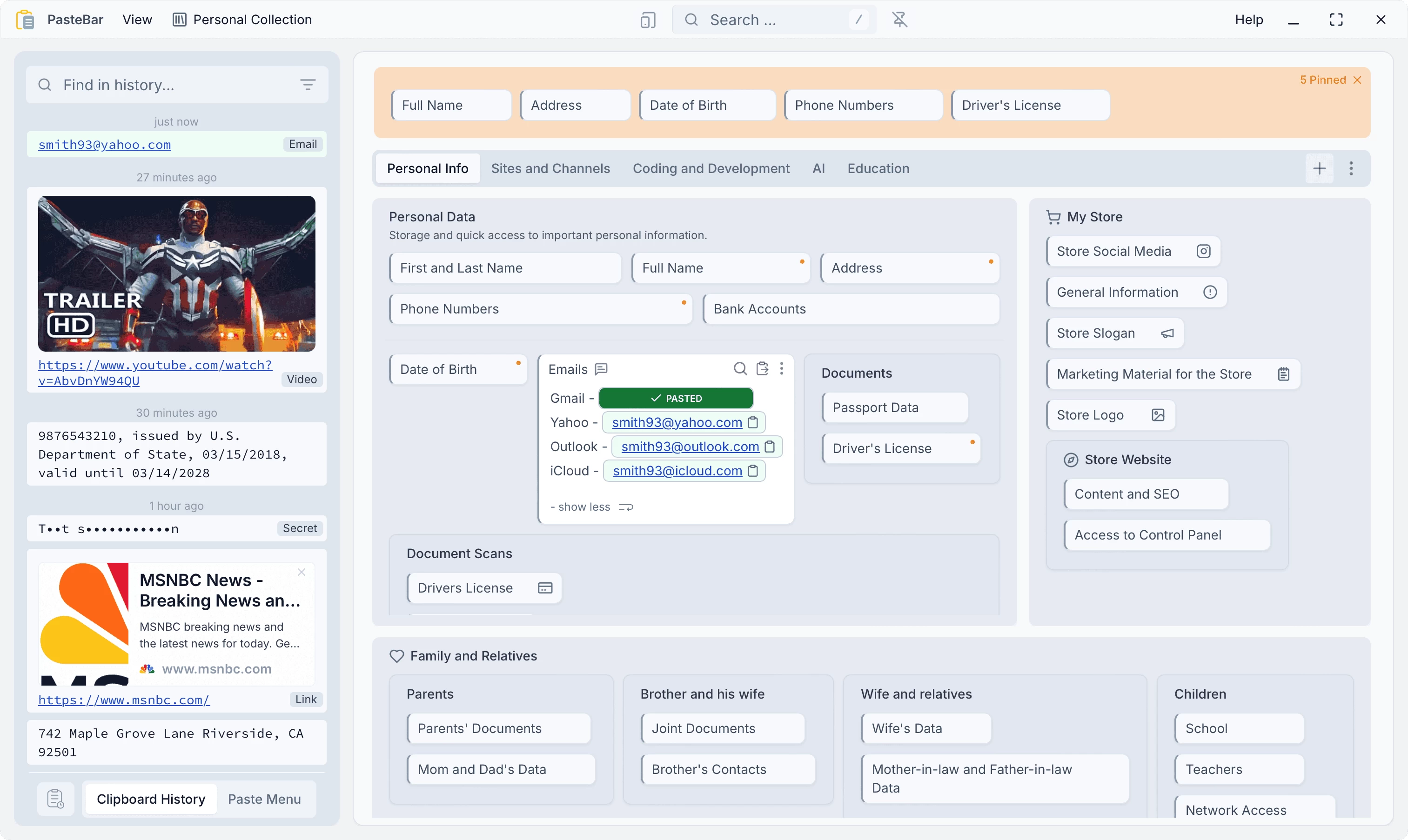
PasteBar is a powerful yet free clipboard manager that revolutionizes how you copy, organize, and reuse information. Packed with smart features, it enhances productivity and simplifies your workflow by minimizing repetitive copy-paste tasks—so you can work faster and smarter.
PasteBar offers powerful clipboard management with unlimited history, searchable copy records, and note support, making it easy to retrieve past clips. You can save and organize clips into custom collections, tabs, or boards for quick access through intuitive paste menus. Privacy is a priority, with local storage, passcode protection, and PIN-locked collections ensuring your data stays secure. The app also supports custom storage locations, giving you full control over where your clipboard history is saved.
Beyond basic clipboard functions, PasteBar includes smart features like support for text, images, files, and code snippets—complete with syntax highlighting and Markdown formatting. A global search function, instant pasting, and dark theme enhance usability, while customization options let you tailor hotkeys, tray behavior, and text filters. Cross-platform compatibility (macOS & Windows) ensures seamless workflow integration, with added tools for web scraping, API data extraction, and multi-language support. Backup and restore capabilities provide extra peace of mind, making PasteBar a versatile productivity tool.
PasteBar 0.7.0 changelog:
- Added backup and restore database and images
- Added custom data location to store application data in a folder of your choice instead of the default location
- Added keyboard shortcuts to improve navigation efficiency within the application
- Added long press on clip to activate clips organize
- Added "Trim Spaces" option for clips and "Auto Trim Spaces" option for History Capture
- Added Quick history window user options
- Added option to disable capturing and storing images from clipboard
- Implemented clipboard history filtering based on text length limits
- Added support for setting hotkeys with up to 3-key combinations
- Fixed update history items in quick paste window after delete operation in main window
- Added user setting for single-click keyboard focus in history
- Refactored terminology for history window split to open
- Updated to React 19 and React Compiler
- Auto-activate search in quick paste window when typing any letter or number
- Added single-click copy/paste option in user preferences
- Added persistent note icons for clips with descriptions
- Added detect and select language modal on first app run
- Fixed refresh native menu on history items delete
- Added history item preview max lines user setting
- Added protected collection with PIN access
- Added special copy/paste for history items context menu and settings
- Added global templates in user preferences for saved clips
- Press Delete key to delete single or multiple items with confirmation on second press
- Added customizable tray icon behavior on Windows as user settings
- Added user preference to copy only menu items to clipboard without auto-pasting
- Fixed enhance value preview logic to fix text overflow
- Updated French language translation from Jean-Michel Robert
- Added deleting menu folders with children by moving submenus up one level
- Fixed user preferences UI color bug for languages
- Added settings to preserve pinned and starred items when clearing clipboard history
- Added option "Show Always on Top" for main window
- Added support for notes matching in global search
- Added Turkish language translation by AlijonMurodov
- Updated Chinese translation by katelya77
Download: PasteBar | Portable | ~30.0 MB (Open Source)
Download: PasteBar ARM64 | Portable ARM64
Links: PasteBar Website | Screenshot | MS Store
Get alerted to all of our Software updates on Twitter at @NeowinSoftware