
Mjukvara
NTLite 2.3.6.8775
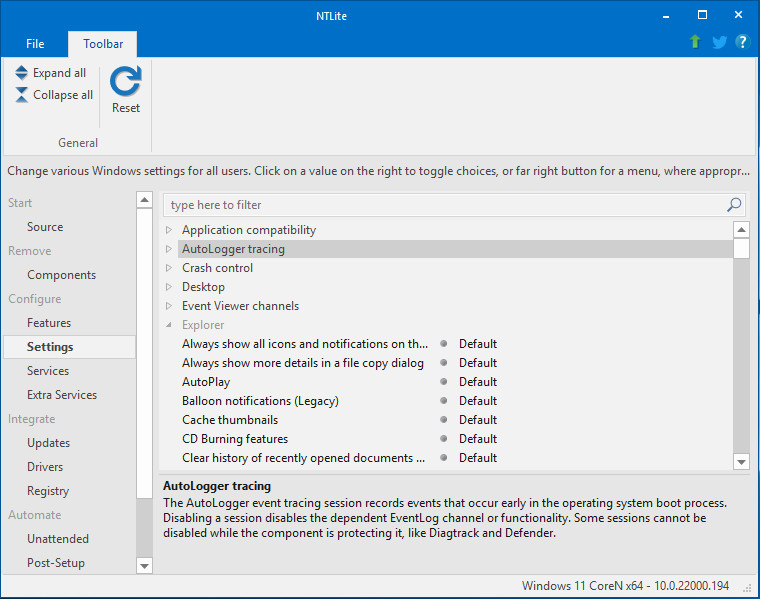
NTLite is a Windows configuration tool that allows you to modify your existing Windows install or an image yet to be deployed, remove Windows components, configure and integrate, speed up the Windows deployment process. Reduce Windows footprint on your RAM and storage drive memory. Remove components of your choice, guarded by compatibility safety mechanisms, which speed up finding that sweet spot. Windows Unattended feature support, providing many commonly used options on a single page for easy setup.
Easily integrate a single or multiple drivers, update or language packages. Package integration features smart sorting, enabling you to seamlessly add packages for integration and the tool will apply them in the appropriate order, keeping hotfix compatibility in check.
One of the important new features of NTLite (compared to its predecessors) is the ability to modify an already installed the operating system, by removing unnecessary components.
Supports Windows 11, 10, 8.1 and 7, x86 and x64, live and image. Server editions of the same versions, excluding support for component removals and feature configuration. ARM64 image support in the alpha stage. Does not support Checked/Debug, Embedded, IoT editions, nor Vista or XP.
NTLite 2.3.6.8775 changelog:
New
- Updates: Appx/Msix (App packages) dependency detection and presentation
- Requirements of a queued app package displayed on the Updates page under it, for easy resolving of dependencies
- Source: Windows 11 Dev build 25131 support
- Settings: Explorer – ‘Preview Pane’ disable option
- Settings: ‘Require Windows Hello sign-in for Microsoft accounts’ option
- UI-Language: Bulgarian (thanks Svetoslav Slavkov)
Upgrade
- Source: Windows 11 22H2 build 22621 support (license date unchanged)
- Components: Windows Apps and app packages now display their real names (package name in the description for reference)
- Components: Store app install not dependent on WU component any more
- Components: ‘Homegroup’ stub detection in Win11
- Updates: App package integration removes previous if needed (solves error 0XC1570118)
- Updates: App package integration handles app framework integration on Win10 1909 and older
- Post-Setup: Powershell script can take parameters
- UI-Translation: Thanks for French (tistou77), German (Cartman586), Romanian (Coman), Swedish (1FF)
Fix
- Features: Features on Demand in a certain case would not enable together with other features in a single session
- Components: ‘Language Pack Setup’ and ‘Telemetry Client’ task removal leftovers from the first session
- Components: OneDrive live removal had leftovers
- Components: Win11 22H2 22621 “Task View” removal could cause Explorer hard error (part of the upgrade of support from build 22616 to 22621)
- Settings: Defender disabling wasn’t working if Tamper protection wasn’t disabled as well
- Settings: Removed non-Policy options for the Start folders settings as they are not working if unforced
- UI: Maximized state of the tool remembered on its restart
Download: NTLite 64-bit | 22.9 MB (Free, paid upgrade available)
Download: NTLite 32-bit | 18.9 MB
Link: NTLite Home Page | NTLite Features
 Get alerted to all of our Software updates on Twitter at @NeowinSoftware