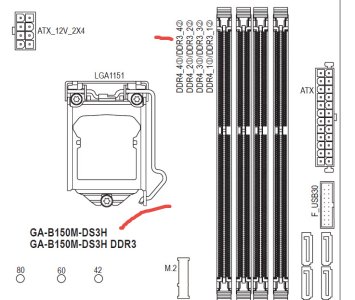
“Yes, sorry, there was a mistake in the motherboard model image, but they are from the same family. I’m attaching the correct image
Actually, every module is the same – I made sure to buy these 2 new identical modules to avoid issues. Here’s the info in the image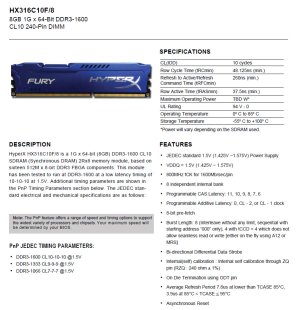
One question: when you refer to the memory controller, do you mean on the module itself?
I’m going to try installing them one by one and run memtest, but I remember that earlier today, even with the known-good modules, I got beeps and it wouldn’t boot
Info setup:
Exact motherboard model: GIGABYTE B150M-DS3H DDR3-CF
CPU model: Intel Core i5-6400
Model numbers of ALL memory modules: All modules are HX316C10F/8 / Kingston | HyperX FURY Memory Blue – 8GB Module – DDR3 1600MT/s CL10 DIMM
EXACT power supply model number and approximate time in service: ATX MX – 400W Micronics – approx. 8 years
Graphics card model: Nvidia Geforce 210
Any other relevant hardware (number and type of drives): 1 WD Green 1000GB SSD
Current BIOS version: F4
Regards